Agents
Prerak Agents are built-in assistants that watch your pipeline and activity and help you act — drafting follow-ups, recapping deals, flagging stalling opportunities, and more. They run in the background so routine work doesn't pile up.
Where to find it
Open Prerak Agents from the sidebar to see the available agents, simulate their output, and run them.
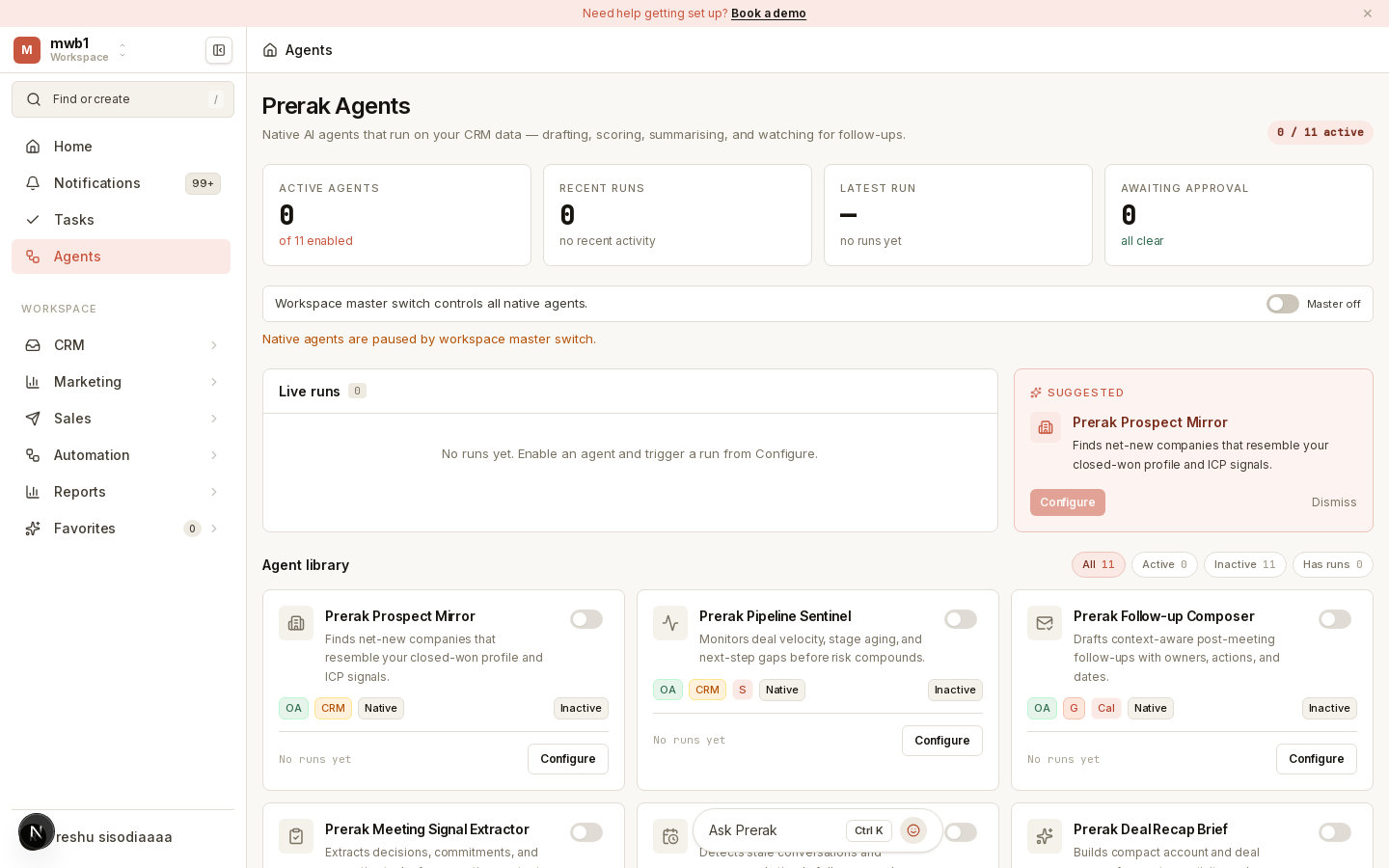
The built-in agents
Prerak ships with a set of native agents covering common sales motions:
- Follow-up assistant — detects stale conversations and recommends timely follow-up nudges.
- Recap assistant — builds compact account and deal recaps from notes, activity, and interactions.
- Follow-up writer — drafts context-aware post-meeting follow-ups, complete with owners, actions, and dates.
- Meeting analyzer — extracts decisions, commitments, and execution tasks from meeting context.
- Pipeline monitor — watches deal velocity, stage aging, and next-step gaps before risk compounds.
- Prospect lookalikes — finds expansion-fit lookalike accounts from your closed-won signal profile.
Simulate, run, and send
Each agent supports a safe workflow so you stay in control:
- Simulate — preview what the agent would produce, without changing anything.
- Run — generate the output for real.
- Send — where applicable, act on the result (for example, send a drafted follow-up).
Tip: Simulate first when you're trying an agent for the first time, so you can see the quality of its output before it takes any action.
Turning agents on and off
Admins control which agents are active.
Where to find it: Settings → Native agents.
- The workspace master switch is a kill switch for every native agent — when it's off, no agent runs regardless of its individual setting.
- Below it, toggle each agent on or off individually. Agents run only when the master switch is on and you have manage access.