AI Platform
The AI Platform is where workspace admins decide which AI providers and models power Prerak's features, how much they're allowed to spend, and what data may leave your network. It's the control plane behind Ask Rep, agents, summaries, and every other AI surface.
Where to find it
Settings → AI Platform. The page is organized into five tabs: Overview, Budget, Governance, Providers, and Segments.
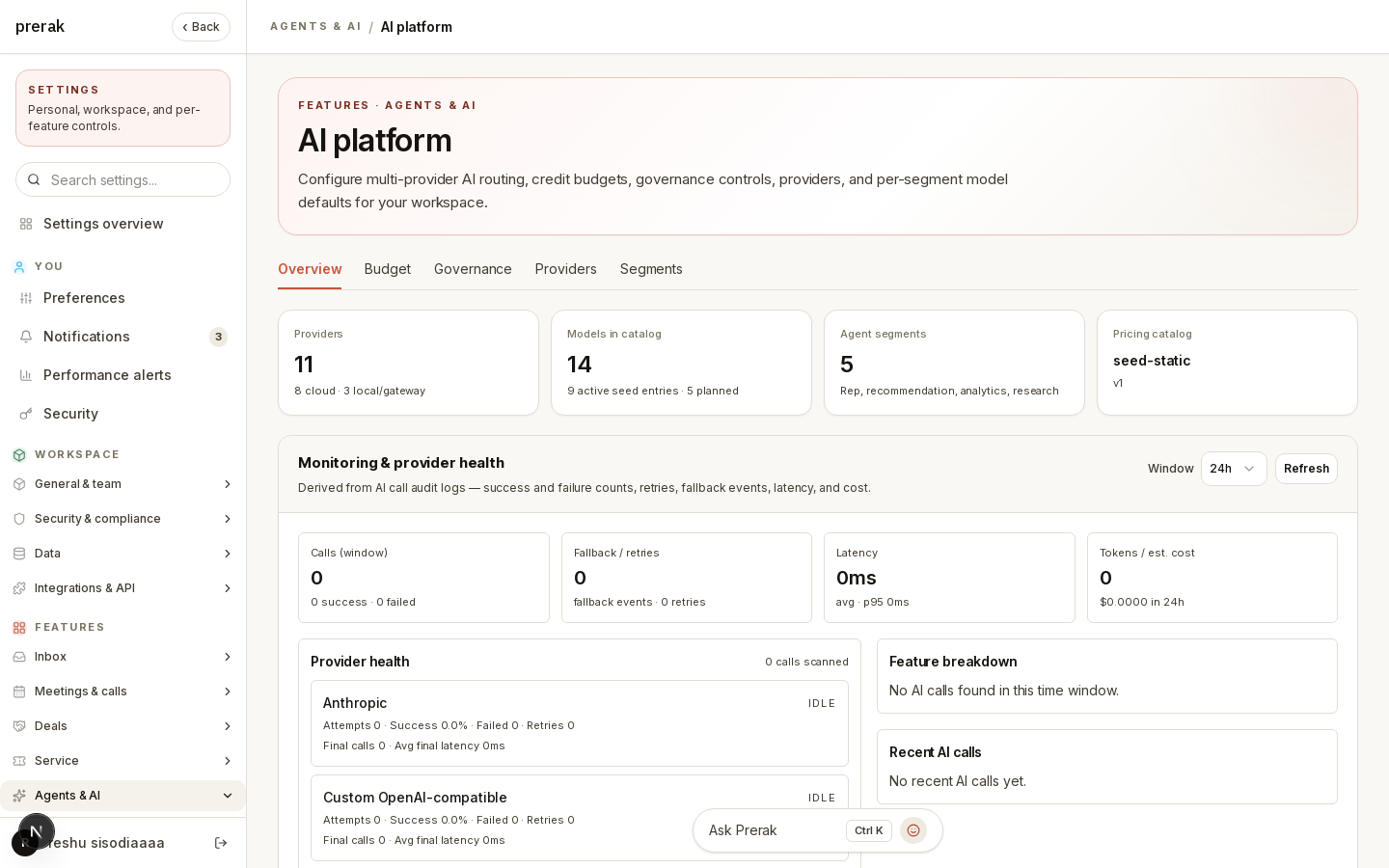
Overview
The Overview tab is your at-a-glance status: which providers and models are active, how routing is configured, and current spend against your budget. Start here to understand your workspace's AI posture before changing anything.
Providers
The Providers tab is where you connect the AI services Prerak can use.
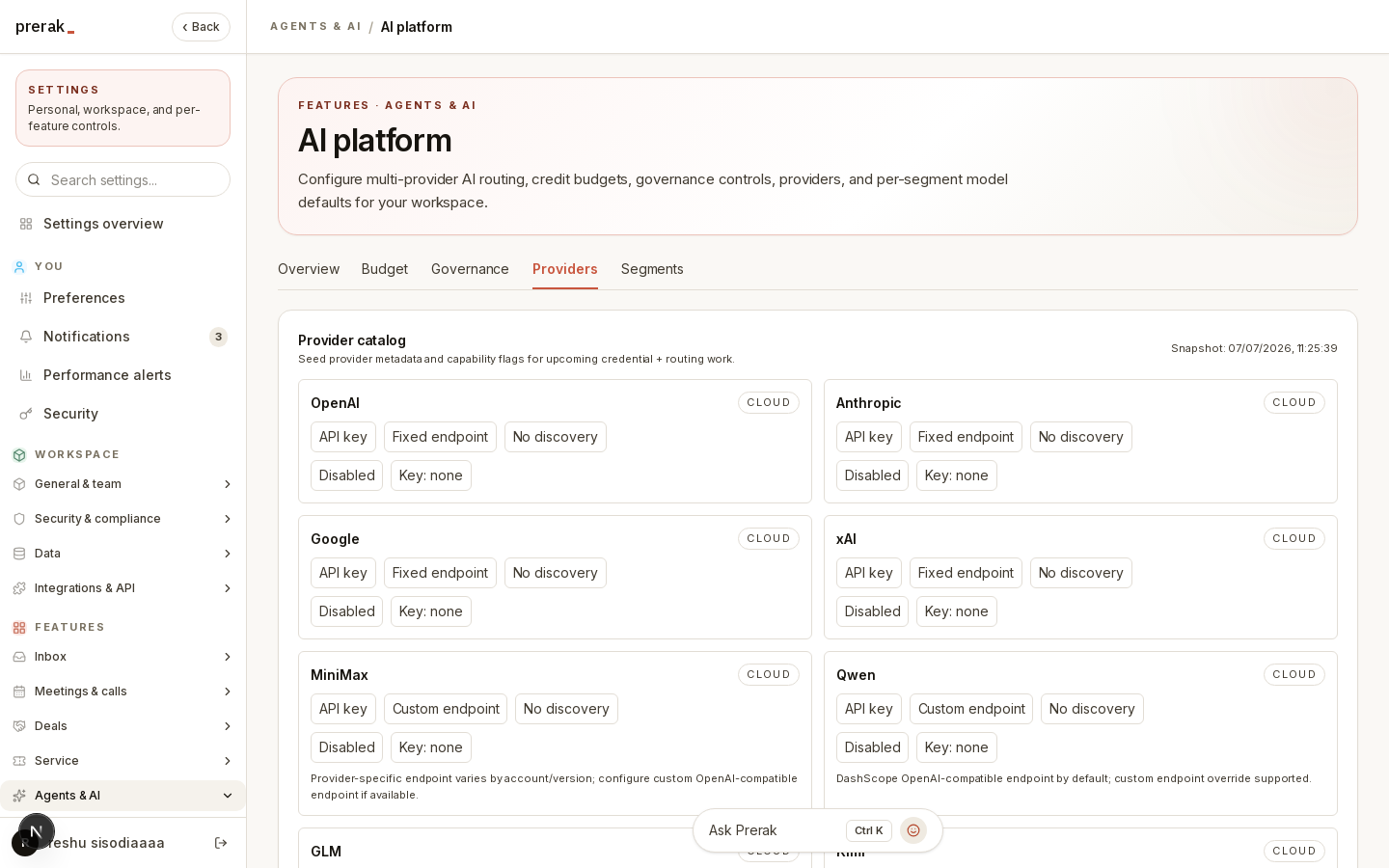
- Configure providers — enter API keys and, where supported, custom endpoints for each provider.
- Model catalog — browse the models each provider offers, along with pricing information for cost estimation.
- Local models — for providers that support discovery (such as a local Ollama server), Prerak can refresh and list the models available on your own hardware.
Tip: Running models locally keeps sensitive context on your own infrastructure. Pair local providers with the routing rules in Segments and Governance to control exactly what stays on-premise.
Segments
Different AI tasks have different needs, so Prerak groups them into segments and lets you route each one independently. The segments are:
- Rep AI — the Ask Rep assistant.
- Recommendation AI — suggestions such as next-best-action.
- Analytics AI — analytical and reporting tasks.
- Research AI — research-oriented tasks.
For each segment you set a routing preference:
- Auto — let Prerak choose.
- Cloud preferred — prefer cloud providers, fall back to local.
- Local preferred — prefer local models, fall back to cloud.
- Local only — never send this segment's context to a cloud provider.
You can also set default models per segment, so a fast, inexpensive model can handle suggestions while a more capable model handles research.
Budget
The Budget tab keeps AI spend predictable.
- Monthly included credits and purchased credits define the balance the workspace draws from.
- Hard block on limit stops AI usage when the budget is exhausted, rather than letting spend continue.
- Alerts notify you as you approach the limit, with configurable warning and critical thresholds (defaulting to 80% and 95%).
- Per-feature budgets let you cap spend on specific features.
Credit balances and top-ups are managed alongside billing — see Billing & Credits.
Governance
The Governance tab enforces baseline compliance controls over where data may go.
- Cloud providers allowed or blocked — a workspace-wide switch for whether any cloud provider may be used at all.
- Cloud allowlist — restrict cloud usage to specific approved providers.
- Local-only routing for sensitive context kinds, so the most sensitive data never leaves your network even when cloud providers are otherwise allowed.
Warning: Governance rules apply across the whole workspace and take precedence over per-segment preferences. If you block cloud providers here, a segment set to "Cloud preferred" will still be kept local.