Quickstart
Welcome to Prerak. This guide walks you through your first sign-in, setting up your workspace, and finding your way around.
Signing in
Prerak uses passwordless sign-in.
- Go to your Prerak login page and enter your work email.
- Check your inbox for a magic link and open it — you're signed in, no password required.
- If you belong to more than one workspace, pick the one you want from the workspace switcher.
Tip: Bookmark the app after your first sign-in. Future magic links drop you straight back into your most recent workspace.
Your home dashboard
After signing in you land on the home dashboard — your daily starting point.
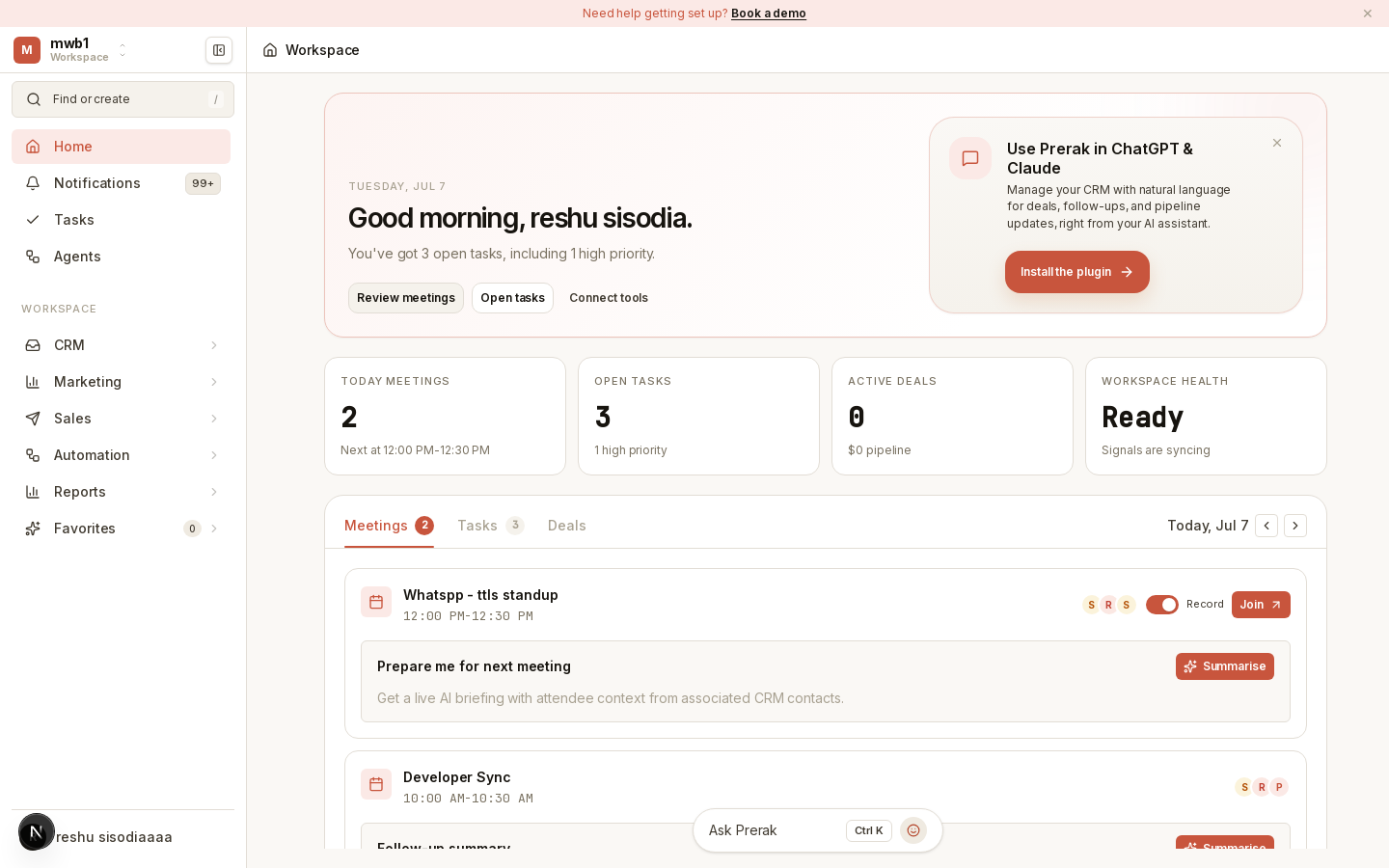
The dashboard surfaces AI meeting-prep summaries and the day's priorities so you can see what needs attention before you dive into records.
Finding your way around
The left sidebar is your primary navigation. It groups the product into areas you'll use every day:
- CRM — People, Companies, Lists, and Activity.
- Deals — your pipeline board and deal records.
- Automation — Sequences and Workflows.
- Inbox & Service — shared inbox and tickets.
- Reports — dashboards and analytics.
- Settings — workspace administration (bottom of the sidebar).
You can pin frequently used views as favorites so they're one click away.
Set up your workspace
If you're the admin setting up a new workspace, a few early steps pay off:
- Invite your team — Workspace & Members.
- Connect email and calendar so activity and meetings sync automatically — Email & Calendar.
- Import your existing data — Import Your Data.
- Configure AI if you want assistants and agents — AI Platform.