Contacts & Companies
People and companies are the core records of your CRM — the individuals you sell to and the organizations they belong to. This guide covers working with both.
Where to find it
Open People and Companies from the CRM area of the sidebar.
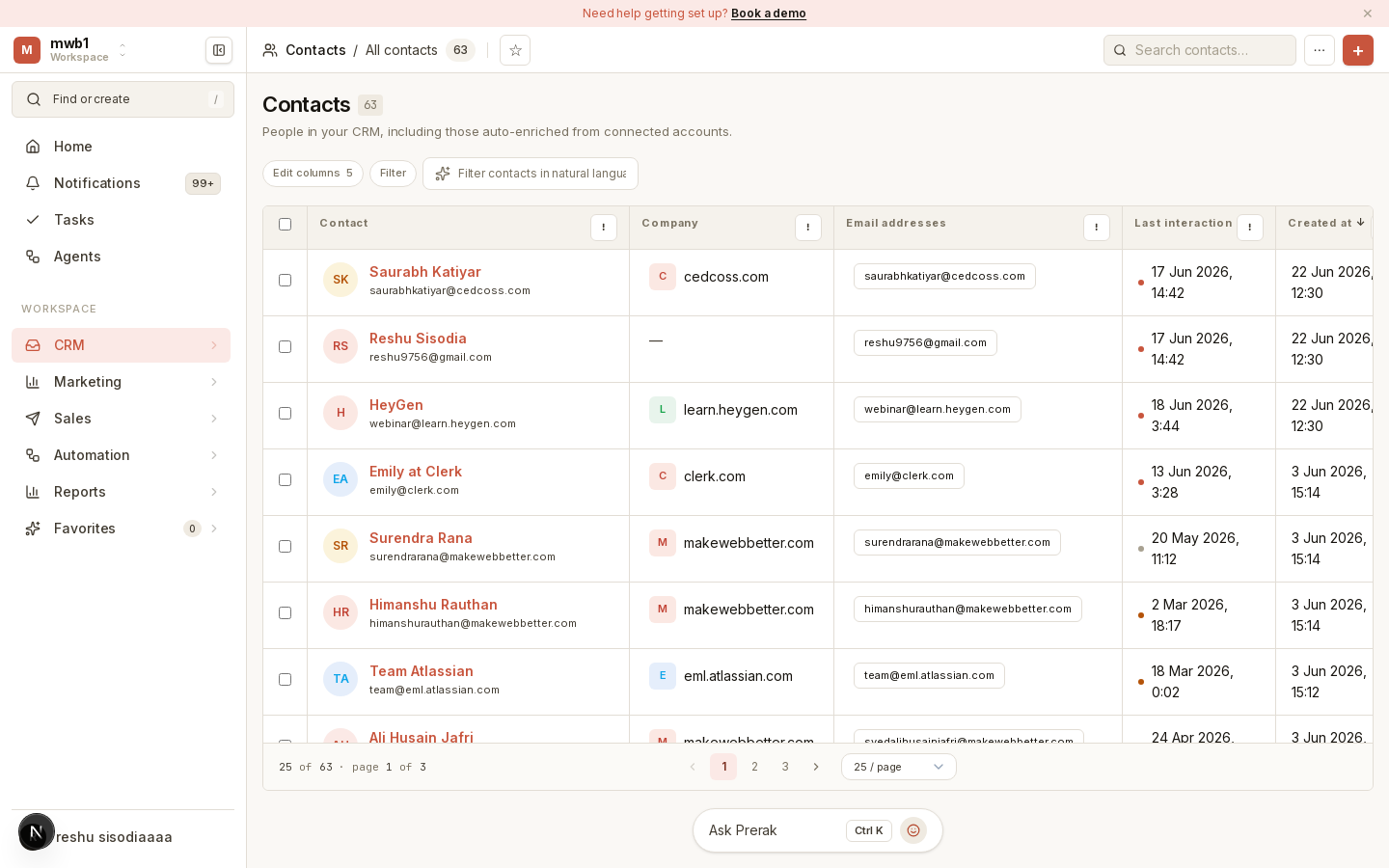
Working with records
The People and Companies pages present your records in a table you can sort, filter, and search. From here you can:
- Create a record manually with Add Contact / Add Company.
- Import records from a CSV, or export the current view — see Import Your Data.
- Save a view of your filters so you can return to it quickly, and star it as a favorite.
- Edit inline — click a field such as a company domain or email to change it in place.
The record page
Opening a person or company shows the full record: its properties, associated records (a contact's company, a company's people and deals), and a timeline of activity.
AI intelligence panels
Company and contact records include an AI intelligence panel that summarizes the record — pulling together recent history and context so you're briefed before you reach out.

Tip: The intelligence panel is only as good as the data behind it. Keeping activity, notes, and associations current makes every summary sharper.
Custom fields
Admins can extend people and companies with custom fields and groups in Settings → Properties — see Data Model.